Statement of Work software for consultancies
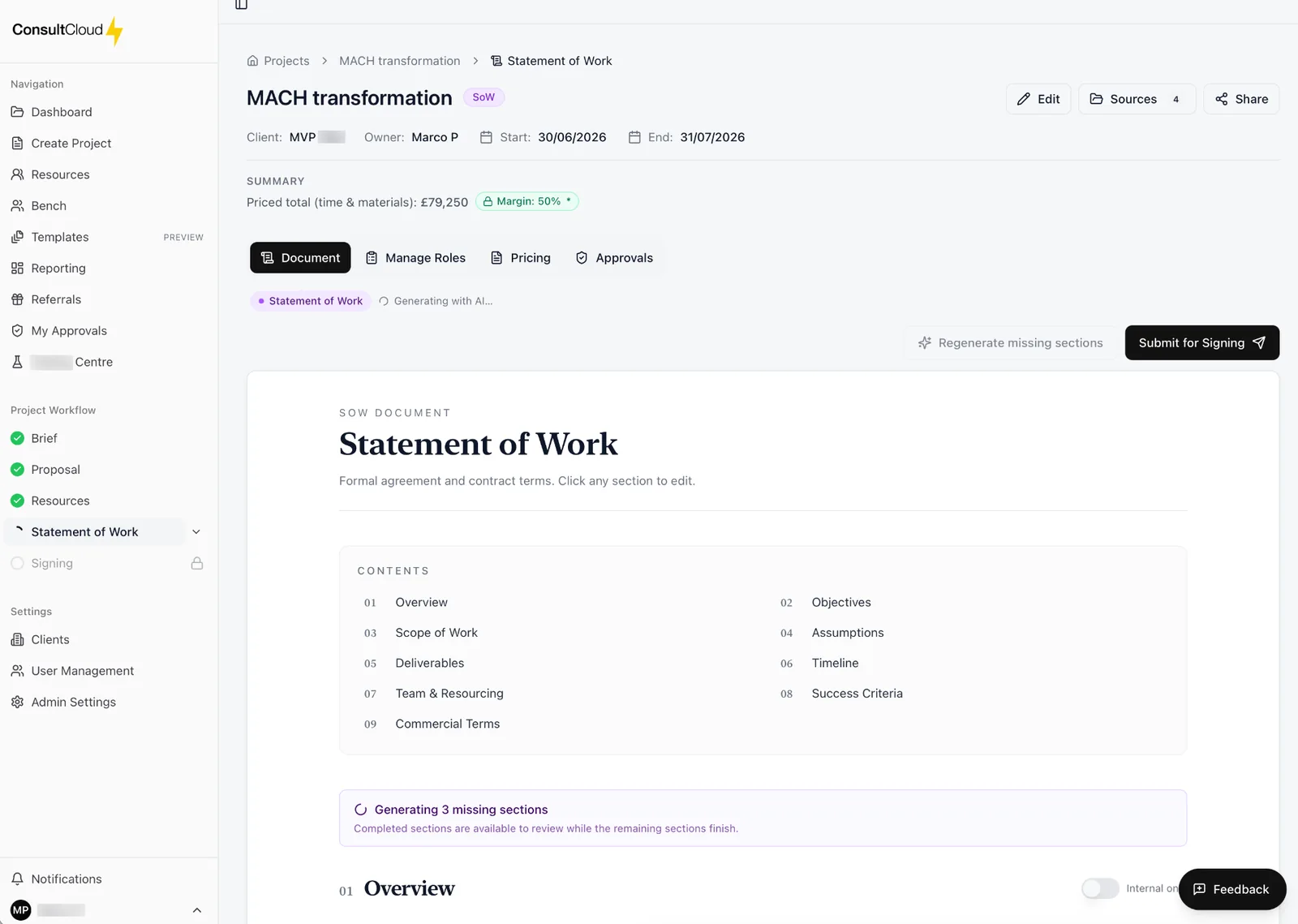
Generated in minutes. Scope, roles, deliverables, milestones and commercials, all assembled into a professional SoW you can sign today.
Overview
Move from approved proposal to signed SoW without starting from scratch. ConsultCloud builds the document from the same source of truth as your brief and proposal, so nothing is lost in translation.
Commercial confidence
Roles, rates and effort surfaced before you sign.
Consistent format
Every SoW reads like it came from the same firm.
E-signature ready
Send for signature directly from the platform.
Why Statement of Work software
A Statement of Work is where a won deal becomes an accountable project. For most consultancies it is also where time disappears: copying last quarter's SoW, re-keying scope from the proposal, chasing rates from a spreadsheet and checking whether the people you named are actually free. ConsultCloud generates the SoW from the brief and proposal your team has already agreed, with roles, days and rates taken from the resource match, so the document matches what you sold and who you can staff.
How it works
Start from the agreed proposal
Objectives, scope and approach carry straight across from the brief and proposal. Nothing is re-typed.
Generate the core sections
ConsultCloud drafts the Overview, Objectives, Scope of Work, Assumptions, Deliverables, Timeline, Team & Resourcing and Success Criteria.
Add your standing terms
Exclusions, client responsibilities, commercials, change control and boilerplate come from your template library, so they read the same on every engagement.
Check the commercials
Roles, days and rates come from the live resource match, so effort and margin are visible before the document leaves the building.
Send for signature
Use the built-in e-signature flow, or export to Word or PDF.
What's included
Generated from your brief and proposal
One source of truth from first conversation to signed document.
Template library for standing content
Configure exclusions, change control and terms once and reuse them.
Import existing templates
Bring Word and PDF templates in from SharePoint through the Microsoft 365 connection and review them before saving.
Roles and rates from resourcing
The Team & Resourcing section reflects who is actually available, at the rates on your card.
Consistent structure
Stable section numbering across engagements, so clients and delivery leads always know where to look.
E-signature built in
Send for signature directly from the platform.
Common questions
- What is Statement of Work software?
- Software that drafts, manages and sends Statements of Work. ConsultCloud builds each SoW from the project's brief and proposal, adds your standard terms from a template library and prices the team from your resource data.
- Can we use our own SoW template?
- Yes. Standing sections such as exclusions, client responsibilities, change control and terms live in your template library and are inserted into every SoW. Existing Word or PDF templates can be imported from SharePoint.
- Where do the roles and rates come from?
- From resource matching. The roles, days and rates you allocate flow into the Team & Resourcing and commercials sections, so the SoW and the staffing plan agree.
- Can clients sign in ConsultCloud?
- Yes. SoWs can be sent for e-signature from the platform, or exported to Word or PDF if your client signs elsewhere.
- Can I try it first?
- Yes. The free trial lasts 7 days or 3 completed workflows, whichever comes first. A workflow counts when its SoW is signed.
Ready to win more consulting work?
Start your free trial today. Cancel anytime before it ends.